





- GA4's Realtime report typically shows activity within a few minutes. Its standard reports take longer: on standard properties, intraday data typically arrives in 2 to 6 hours and daily data in about 12.
- Data Studio (formerly Looker Studio) reads Google Ads and GA4 through Google's own connectors. Meta Ads and CRMs such as HubSpot or Salesforce are not on Google's list, so they come in through a partner connector or a connector tool.
- Revenue lives in your CRM. Save the UTM parameters and the ad click ID (GCLID for Google Ads, fbclid for Meta) with every lead, so each sale traces back to the campaign that paid for it.
- You don't need a data warehouse to start. It helps once you want long history, many sources or GA4's raw events.
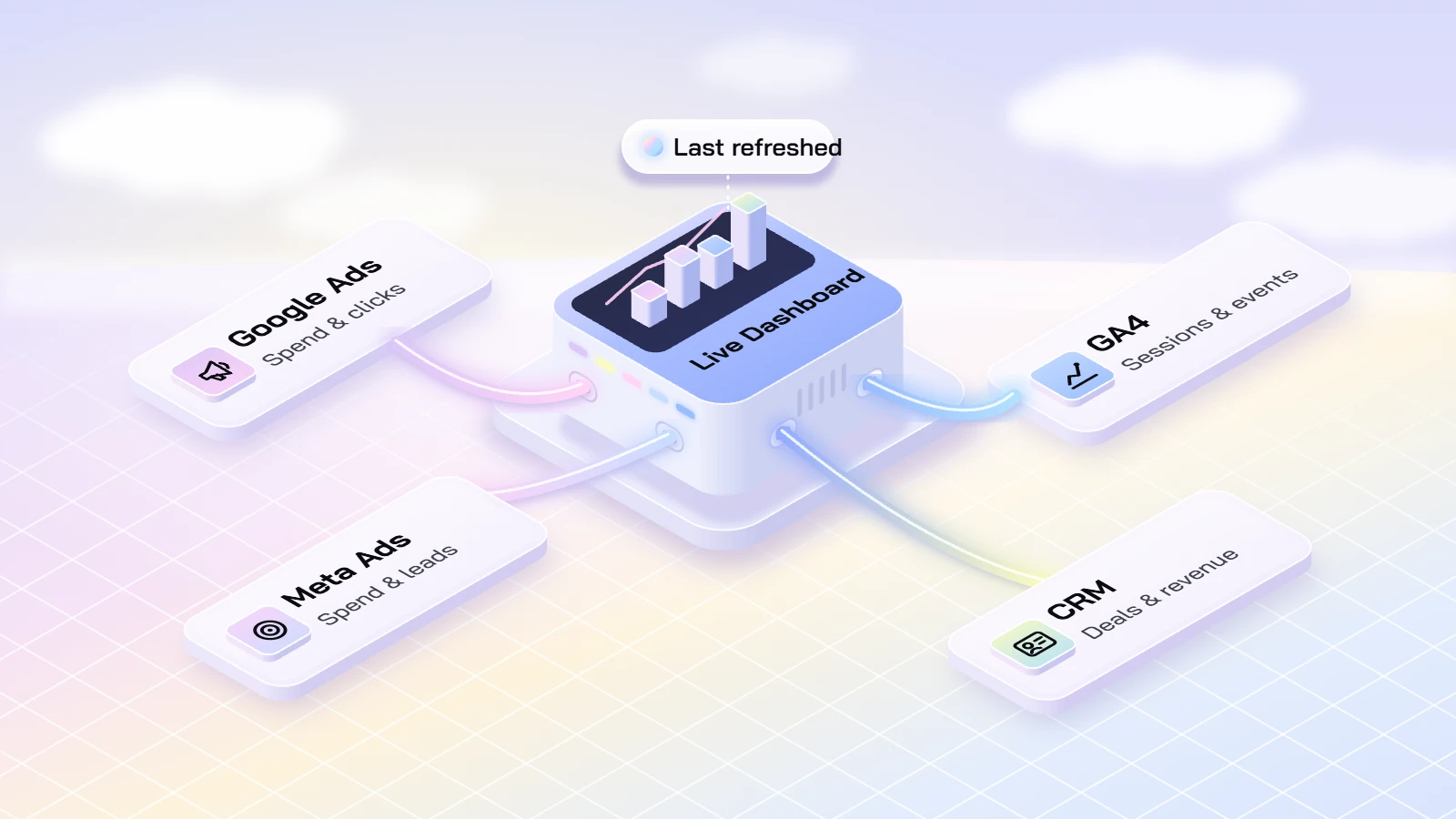
To see Google Ads, Meta, your CRM and GA4 in one dashboard, connect each platform to one reporting tool and take revenue from the CRM, since sales that close there, after a call or a quote, never reach the ad platforms on their own. Each source refreshes at its own speed, so a useful dashboard shows when each one last updated.
What Real Time Means In GA4, Google Ads & Data Studio
Each tool has its own idea of real time, and the slowest source sets the pace for the whole dashboard. These are the times Google publishes for its own products.
| What you look at | How fresh it is | Source |
|---|---|---|
| GA4 Realtime report | Typically a few minutes | Google Analytics Help |
| GA4 standard reports, intraday data (standard properties) | Typically 2 to 6 hours | Google Analytics Help |
| GA4 standard reports, daily data (standard properties) | Typically 12 hours | Google Analytics Help |
| Google Ads clicks, impressions and cost | A 1-hour freshness target; conversions vary with the attribution model | Google Ads Help |
| Data Studio charts built on Google Analytics or Google Ads | Data Studio checks for fresh data every 12 hours by default | Data Studio documentation |
In practice, a dashboard can show a lead from your CRM minutes after the form was sent while its GA4 figures still describe the morning. Label each block with the time it last refreshed. When you launch a campaign and need to see visits as they happen, use GA4's Realtime report rather than the dashboard. In Data Studio, a report editor can also let viewers refresh a chart by hand.
Four Ways To Build One Dashboard
There are four common ways to build this dashboard. The right one depends on how many platforms you run, where your sales close and who will maintain it. Prices are as each vendor listed them on Nov 6, 2026.
| Way to build it | Fits when | Cost | What to watch |
|---|---|---|---|
| Data Studio (formerly Looker Studio), with Google's connectors plus a partner connector for Meta and your CRM | Google Ads and GA4 carry most of your spend and someone on your team can build the report | Data Studio is "available at no charge for creators and report viewers"; Data Studio Pro costs $9 per user per project a month (Google Cloud) | Google's connector list includes Google Ads and Google Analytics but not Meta Ads, HubSpot or Salesforce (Data Studio documentation), so those need a partner connector |
| A connector tool such as Supermetrics or Funnel, feeding Data Studio, Google Sheets or a warehouse | You run ads on several platforms and want one tool to pull them all | Supermetrics Starter: $55 a month billed monthly, or $44 billed annually, for 3 data sources and 1 user. Funnel Starter: from $300 a month billed annually. Both offer a 14-day free trial | Plans cap data sources, accounts and destinations. BigQuery as a destination needs Supermetrics Enterprise or Funnel Business. Check that your CRM is on the connector list |
| Your CRM's own ads reporting, for example HubSpot's ads tool | Most of your revenue closes in the CRM and you mainly need ads tied to contacts and deals | HubSpot lists the ads tool under all products and plans | It connects ad accounts on Meta, Google, LinkedIn, Microsoft and TikTok and adds UTM parameters to attribute contacts and deals to campaigns. GA4 is not one of them, so website analytics stay in a separate report. Free CRM and Marketing Hub Starter accounts get only the last-interaction attribution report |
| A data warehouse with a reporting tool, for example GA4's BigQuery export with Data Studio on top | You need long history, many sources, GA4's raw events or your own attribution rules | A free BigQuery sandbox is available, and exports beyond its limits are charged. Streaming export costs $0.05 per GB | Standard GA4 properties have a daily export limit of 1 million events. Streaming export makes the current day available within a few minutes but is best effort and can have gaps. Someone has to own the data model |
Keenfunnel's view: start with the first or second option and move to a warehouse only when a question needs it.
Joining Ad Spend To CRM Revenue
Spend lives in the ad platforms and revenue lives in the CRM. They only meet if every lead carries the details of the click that brought it in.
- Tag every paid link. Google says to always set utm_source, utm_medium and utm_campaign, and recommends utm_id and utm_source_platform as well; GA4 shows missing values as "(not set)" (Analytics Help).
- Keep Google Ads auto-tagging on. After an ad click it adds a GCLID (Google Click Identifier) to the landing page URL, and Google requires it for tracking offline conversions (Google Ads Help).
- Capture Meta's click ID. When someone clicks a Facebook or Instagram ad, Meta passes an fbclid parameter in the URL. Meta asks for the value exactly as received, since it is case sensitive, stored either in a first-party _fbc cookie that lasts 90 days or in your own backend (Meta for Developers).
- Save them with the lead. Hidden form fields can write the UTM values, the GCLID and the fbclid to the contact record when the lead reaches the CRM.
- Report revenue by campaign. When a deal closes, the CRM knows which campaign brought the lead, so the dashboard can set revenue next to the spend each ad platform reports.
- Send the sale back. Google Ads takes offline conversions when you return the GCLID with the conversion type and time, or hashed customer data through enhanced conversions for leads (Google Ads Help). Meta's Conversions API for CRM sends later funnel stages back to Meta, matched on the Meta Lead ID from lead ads or on the click ID, phone or email (Meta for Developers). The platforms then count the sales as well as the form fills.
Some leads will still arrive without a click ID: a visitor may come back days later through another channel, or decline tracking. Show that share in the dashboard rather than hiding it.
When A Connected Setup Needs A Partner
A dashboard you build yourself works well when one person owns it and the sources are few. In Keenfunnel's experience, outside help pays off when one of these is true:
- You run several CRMs, ad accounts or brands, and their fields and campaign names don't match.
- Sales close by phone, in person or after a quote, and need to flow back to Google and Meta.
- Consent rules in your markets limit what you can track, and the setup has to respect each visitor's choice.
- Nobody on the team has time to fix a broken connector or a renamed field in the week it breaks.
Whoever builds it, ask for three things: a list of every source with its refresh time, a written definition of each metric, and access in your own name to every account and connector.
Keenfunnel's Funnel Audit maps where leads drop out before anything is built, and Workflow Automation connects your CRM, ad accounts and analytics so leads and revenue sync. Every Keenfunnel monthly plan includes a real-time dashboard.
Is GA4 Real Time?
Partly. The Realtime report typically shows activity within a few minutes. Standard reports take longer: on standard properties, Google says intraday data typically arrives in 2 to 6 hours and daily data in about 12.
Can Data Studio Pull Meta Ads Data?
Not through a Google connector. Google's list covers its own products, such as Google Ads, Google Analytics and Search Console, and does not include Meta Ads. Partner connectors fill the gap: Supermetrics, for example, offers a Facebook Ads connector with Data Studio as a destination (Supermetrics still calls it Looker Studio).
How Do I Connect A Sale In My CRM To The Ad That Brought It?
Save the UTM parameters and the click ID, the GCLID for Google Ads or the fbclid for Meta, with every lead. When the deal closes, the CRM can report revenue by campaign, and you can send the sale back to Google Ads as an offline conversion and to Meta through its Conversions API for CRM.
Do I Need A Data Warehouse?
Not to start. A warehouse such as BigQuery helps once you need long history, many sources, GA4's raw events or your own attribution rules. Standard GA4 properties have a daily BigQuery export limit of 1 million events.
Sources and References
Each page was opened on Nov 6, 2026.
- Data freshness, Google Analytics Help
- URL builders: Collect campaign data with custom URLs, Google Analytics Help
- BigQuery Export, Google Analytics Help
- About data freshness, Google Ads Help
- About auto-tagging, Google Ads Help
- About offline conversion imports, Google Ads Help
- Data Studio: Business Insights Visualizations, Google Cloud
- Available connectors, Data Studio documentation
- Manage data freshness, Data Studio documentation
- ClickID and the fbp and fbc Parameters, Meta for Developers
- Conversions API for CRM integration, Meta for Developers
- Connect and set up your ad accounts in HubSpot, HubSpot Knowledge Base
- Supermetrics Pricing, Supermetrics
- Plans & prices, Funnel
Ready to put this into practice?
Book a free 30-minute call. We will map where AI, automation and better data can make the biggest difference in your business, and what to do first.